
If you want your business to be found online, one of the best places to start is a Google Business Profile, formerly called Google My Business (GMB). It is a free tool that lets you manage how your business appears on Google Search and Maps. That is why a suspension hurts: your listing can disappear from Maps and local results overnight.
This guide covers how to set up a profile properly, the most common reasons for a suspension, and exactly how we got a client’s suspended profile reinstated.
How to create or claim your Google Business Profile
- Go to google.com/business and sign in with the Google account you want to manage the profile with.
- Search for your business. If it already exists, claim it; if not, add it.
- Enter your exact business name, category, address or service area, phone number and website.
- Verify the business. Google may ask for a phone or email code, a postcard, or a short video showing your location, signage and proof of ownership.
- Complete the profile: opening hours, photos of the inside and outside, services, and a description.
Why Google suspends business profiles
- Keywords or locations stuffed into the business name
- Using a virtual office, PO box or co-working address as a physical location
- Duplicate profiles for the same business
- A service-area business showing a home address publicly
- Changing key details, such as the name or address, many times in a short period
- Information that does not match your website, signage or documents
Before you appeal, fix anything on this list that applies to you.
How to appeal a Google Business Profile suspension
- Sign in to your profile and open the suspension notice, or use Google’s Business Profile appeals tool.
- Correct any information that breaks the guidelines.
- Submit the appeal with proof: business registration or GST certificate, a utility bill for the address, and photos of your signage, storefront and office.
- Wait for Google’s review and keep an eye on your email. Do not create a new profile while the appeal is open.
Case study: how we got a suspended profile reinstated
- We received an email informing us that the Google Business Profile had been suspended.
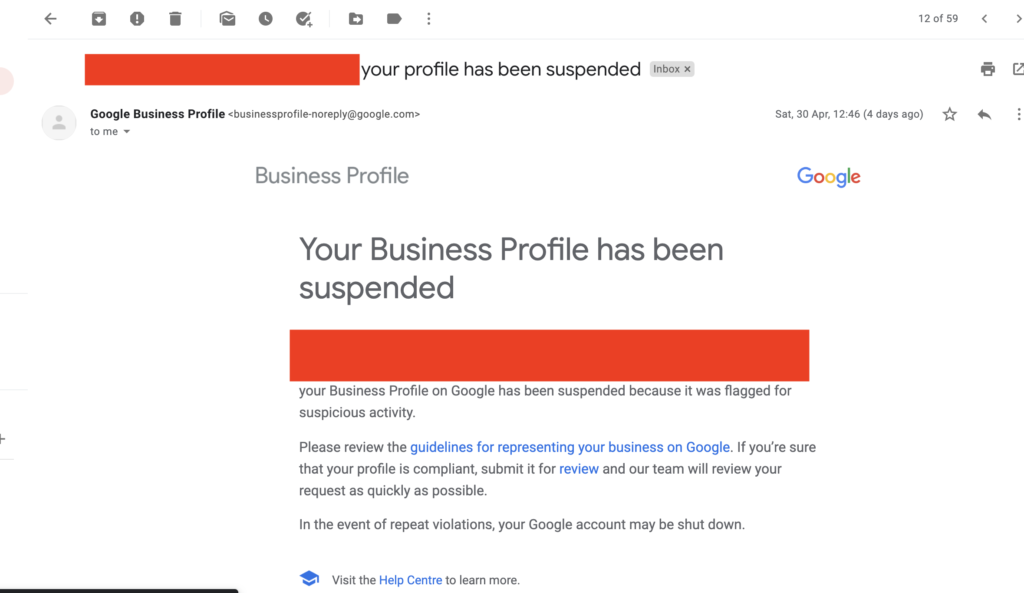
2. The email included a link to submit the profile for review. We filled in the reinstatement form with relevant proof and submitted it through that link.
3. Within a couple of hours we received an auto-reply from Google.
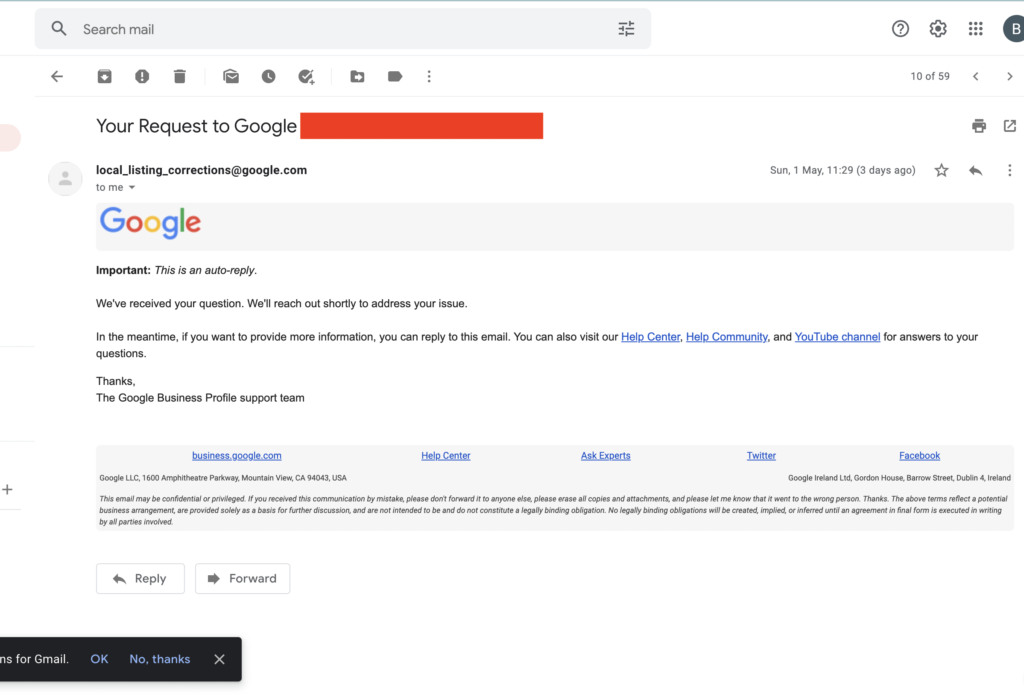
4. Two days later, the Google team replied that the suspension was for a valid reason.
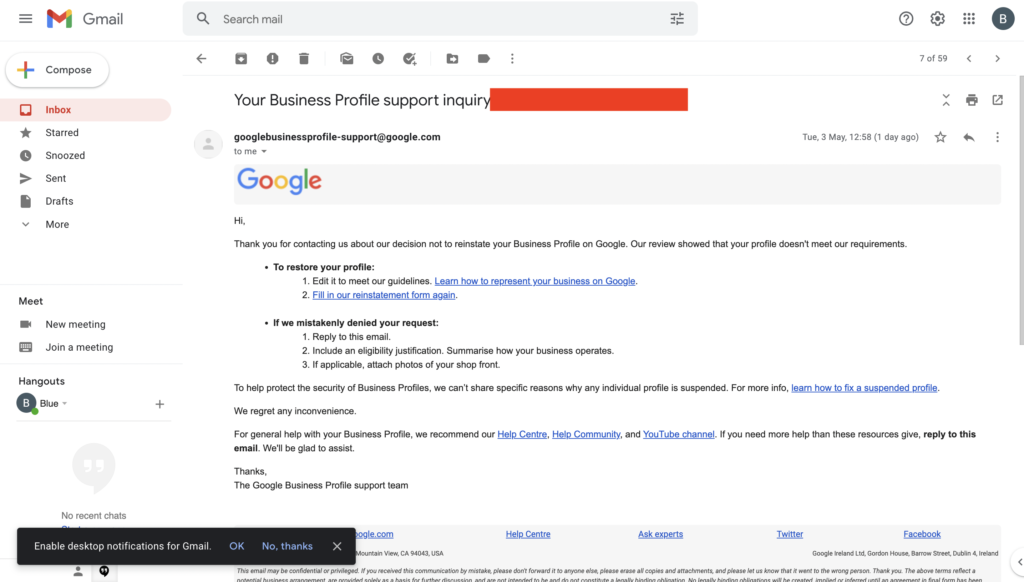
5. Being shameless and persistent, we replied to that email with more proof, including certificates and photos of the business office, and asked for a manual review.
6. The next day, the Google team called to verify the details, and our team answered every question. The Google Business Profile was reinstated the same day.
Key lessons
- A first rejection is not final. A polite reply with stronger proof can get a manual review.
- Real-world proof, such as signage, office photos and registration documents, matters more than explanations.
- Keep your profile details consistent with your website and documents to avoid suspensions in the first place.
We hope our experience helps you get your profile back. If you need help, contact me, or see how I run Google Ads for local businesses.
New: ChatGPT now shows ads, and businesses in India, the UAE and Australia can run them. If you want to test them, talk to a ChatGPT ads expert.